

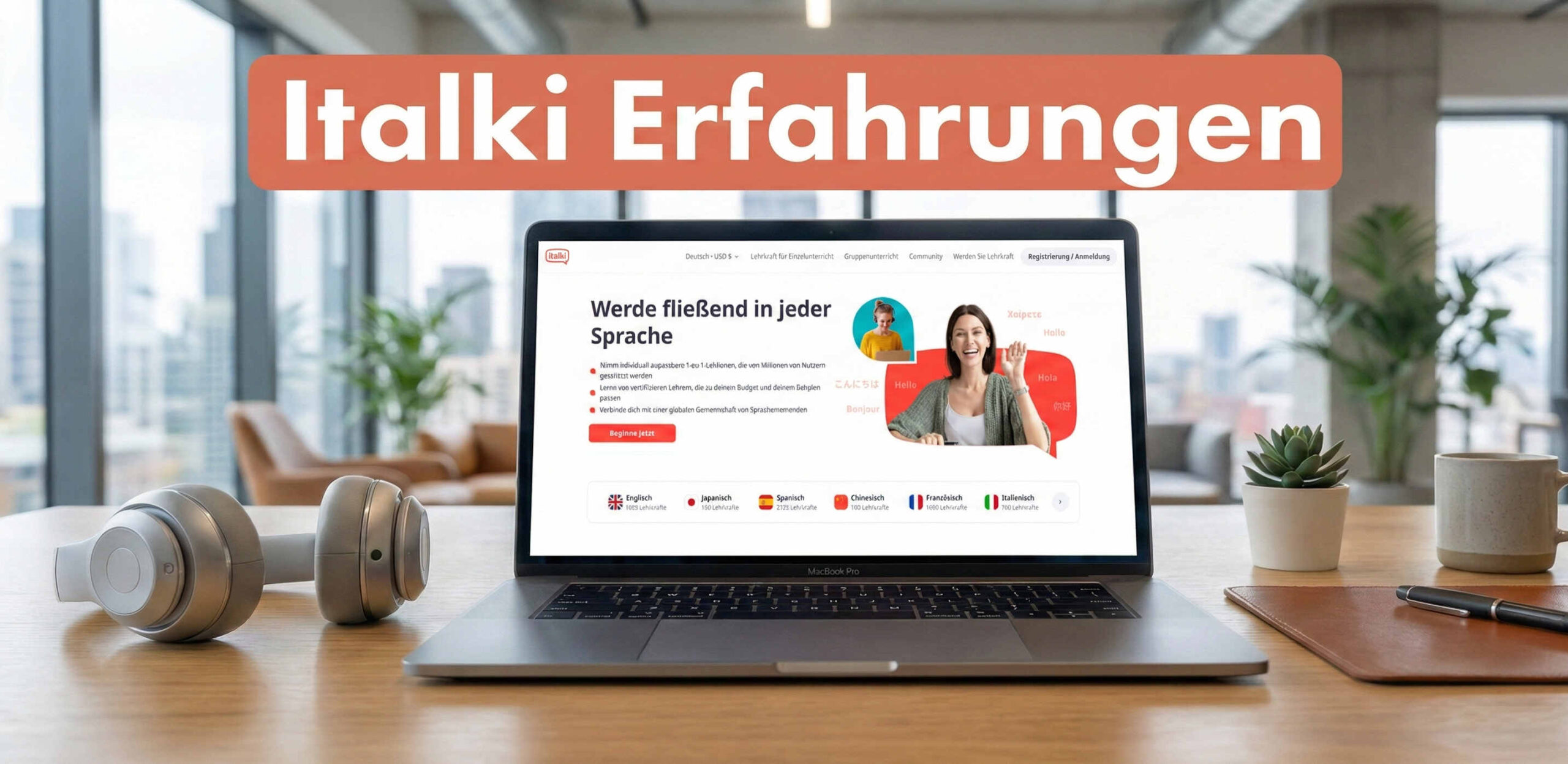
Learn French, English or Spanish from a native speaker without leaving your home? With the learning platform italki, that's possible. I've been using italki for several years now, and in this post I write about my experiences and whether the platform is really worth it. You'll also find out here exactly how italki works.
Editorial status: 28.08.2026 – Prices, user numbers and italki Plus features have been updated.
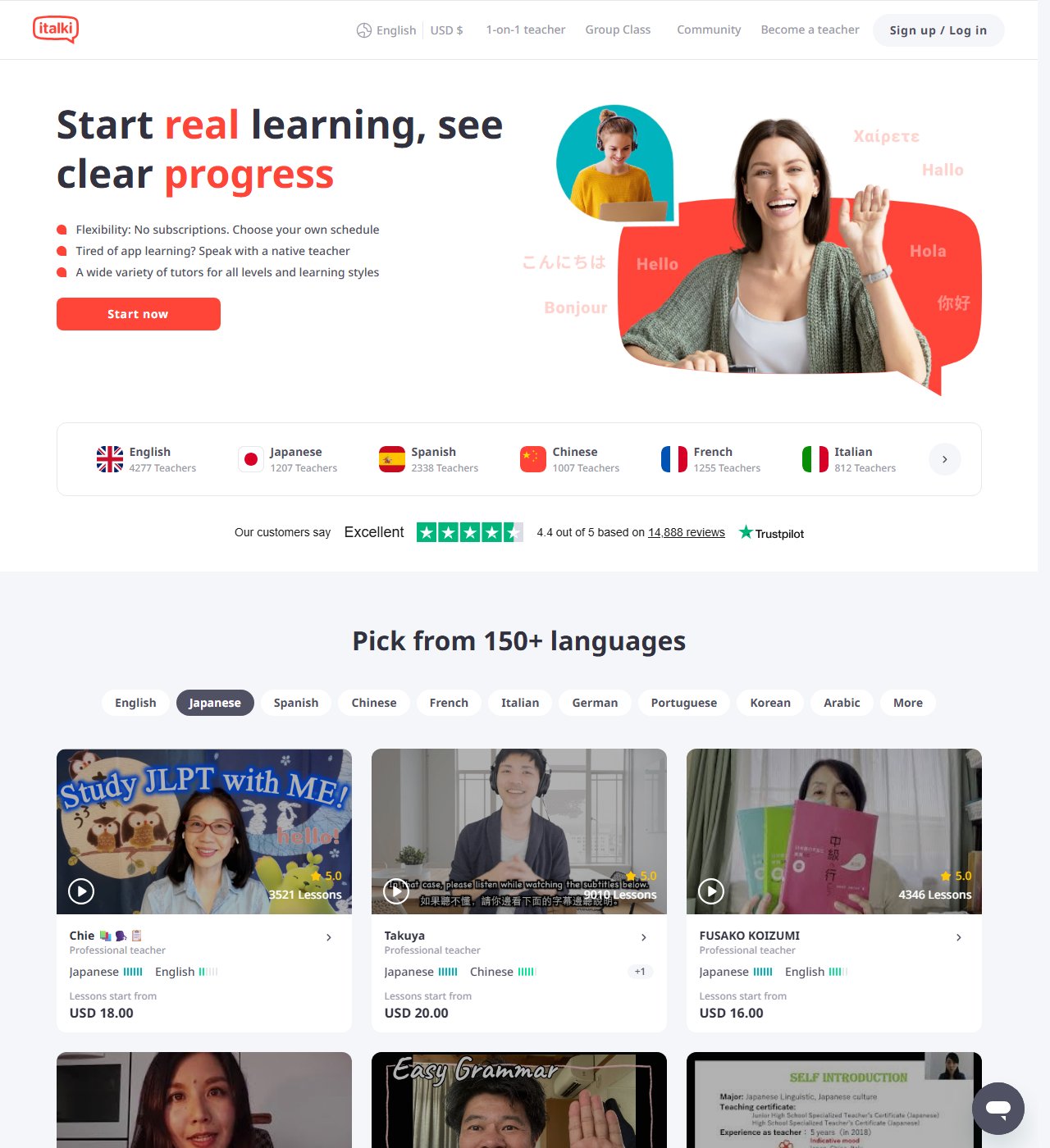
italki Facts:
- Over 20.000 teachers
- More than 10 million learners
- Over 150 languages
Who is italki suitable for?
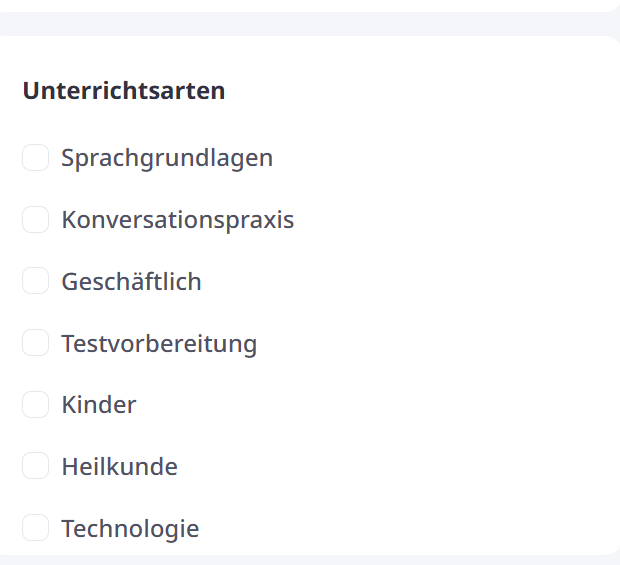
Italki is suitable for the following topics: teaching children, business topics (meetings, presentations, job interviews, negotiations, business etiquette), test preparation (IELTS, TOEFL, TOEIC, FCE, BEC ,PET, CAE …), conversation practice.
How does italki work?
In the italki app or on the website, you first select a language you want to learn. Then different tutors are suggested that you can book. You can then narrow down the selection of tutors using the filters (next to the search bar) and filter, for example, by native speaker, price, community tutor, professional tutor or category.
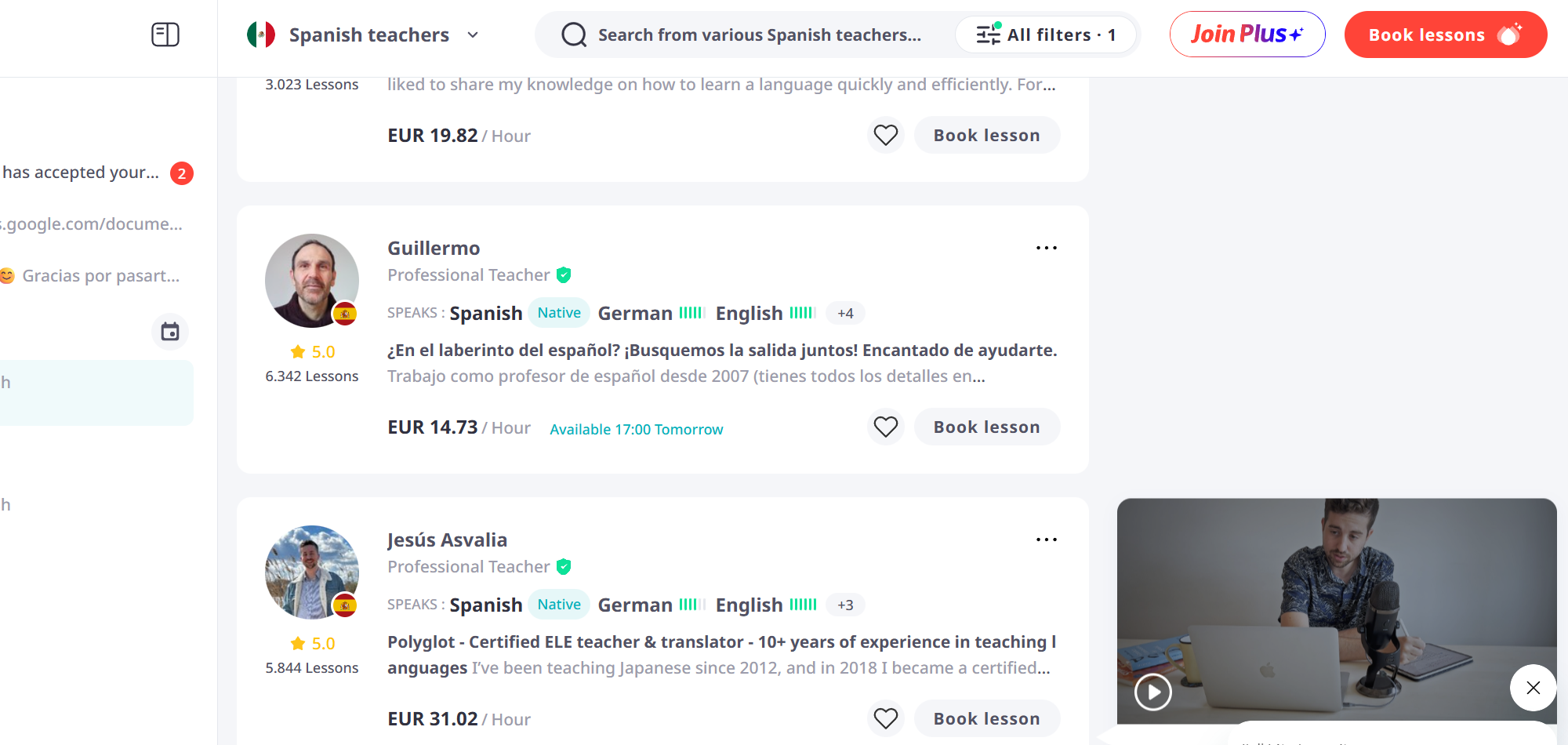
Which filters are useful?
The filters are a bit hidden next to the search bar, but they help a lot to easily narrow down the selection of teachers. With the lesson types tab, you can, for example, select what type of language lesson you want.
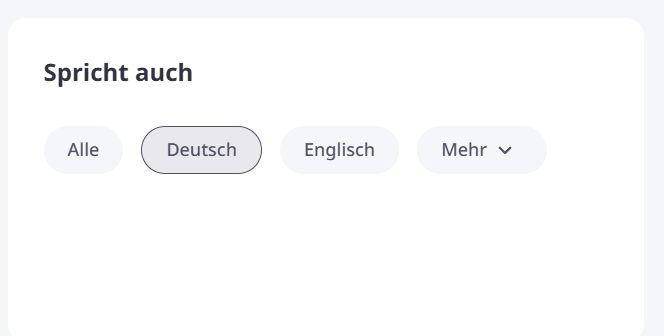
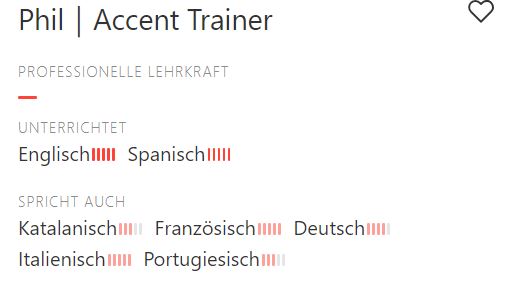
If you want, you can select German under "speaks also". So if you, for example, are looking for an English teacher, you can select that only English teachers are displayed who can also speak German. However, the "speaks also" filter doesn't work quite as well in my opinion. The results are very mixed and you have to scroll a bit to find the right teacher.
The language level of the tutors is always directly below their profile. However, you only notice how accurate the information is when you actually speak with the teacher.
Languages the tutor speaks:
Italki Teachers
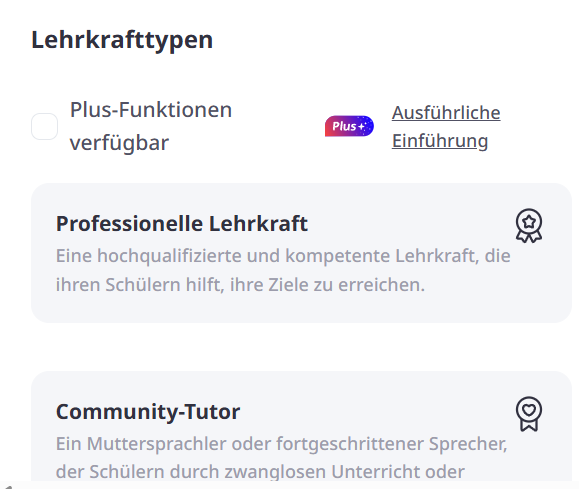
There are professional teachers or community tutors. Community tutors are usually native speakers who do not have professional training as language teachers. That means almost anyone, including you, could teach on italki. However, most tutors have already gained some experience in teaching and are practiced in teaching a language. But it's best to watch the tutors' introduction videos beforehand; it becomes clearer how well they can teach. If you can barely understand the tutor in the video because they speak very quickly and unclearly, they might not be the best language teacher for you. Under tutor types, you can filter by community and professional tutors, and you can also filter whether they offer a Plus feature, more on that below. Community tutors are usually a bit cheaper.
Tutor Statistics
Since the quality of the tutors varies somewhat, you have to decide well which language teacher suits you best. The short videos already mentioned, in which the tutors introduce themselves and explain how much experience they have gathered, help you with that.
Also interesting are the statistics under the tutors' profiles. There you can see the number of students, the response rate, the attendance rate and completed lessons. That helps you understand how reliable and active the teacher was in the last months.

Tutor Reviews
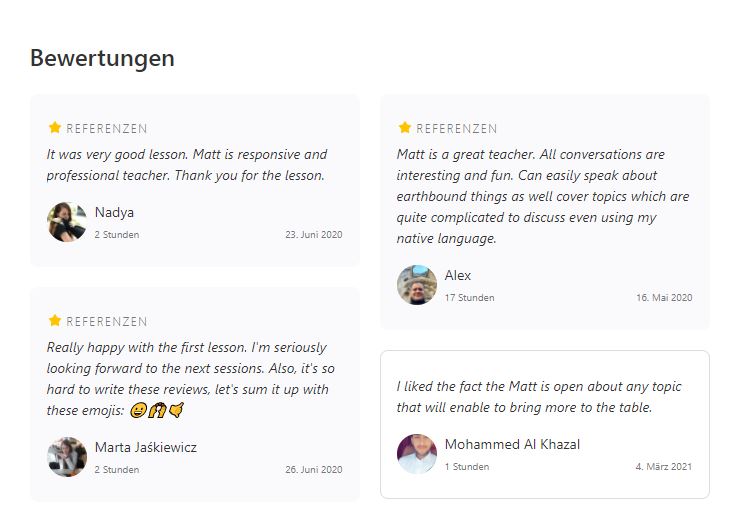
The reviews help you get a better picture of the teaching style and quality of the language lessons. If the language teacher had a boring teaching style, it would probably be mentioned in the reviews.
My experience with italki
I've been using italki for over a year now and I'm very satisfied with the platform. In my experience, however, the quality of the lessons depends heavily on the individual teacher. So far, I've mainly used the platform to practice English and Spanish conversations.
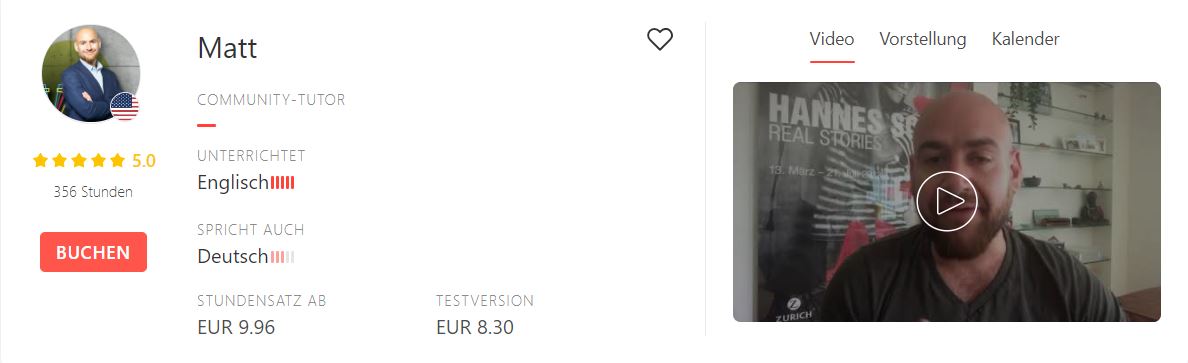
For English, I have a regular tutor: I usually book the community tutor Matt. He's from the USA, currently lives in Zurich, and is learning German himself. Our lessons usually start with some small talk before we get into my specific needs. The lessons take place via Skype, using Google Docs and Google Drive as tools.
Generally, the process varies from teacher to teacher. italki offers an integrated video conferencing system in addition to Google Meet or Zoom. In my Spanish lessons, for example, we use the italki Classroom, which is sometimes still a bit buggy. You can already see which video conferencing systems the respective teacher prefers when booking.
My Spanish teacher often prepares his material in Google Docs, which we then work on together; I can also do homework there. But it's just as possible to bring your own material – for example, a textbook – and discuss it with the tutor.
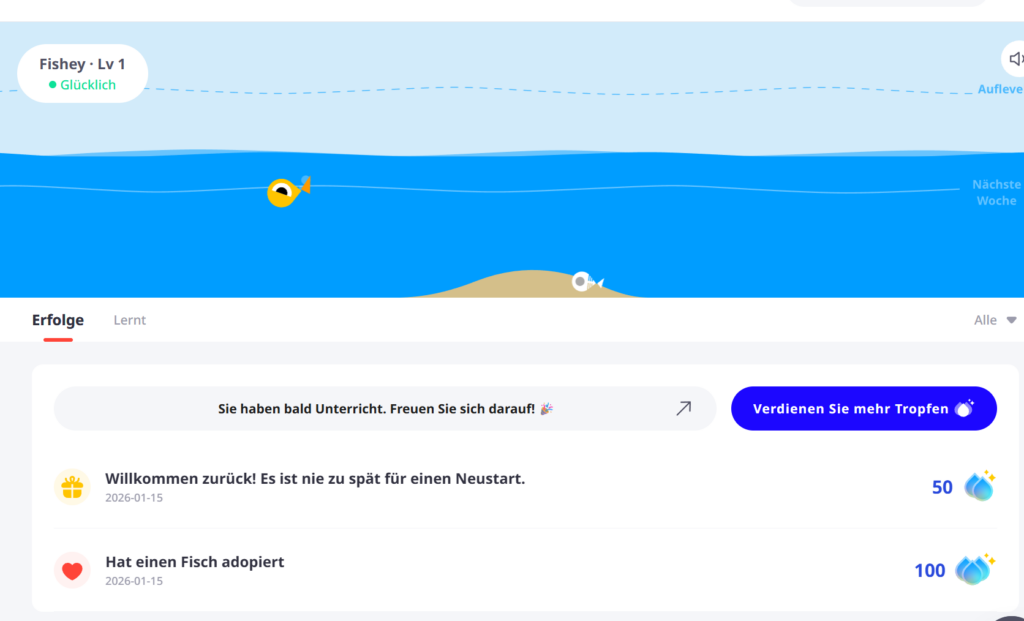
- I also really like the illustrated fish that gets bigger every time you complete a lesson. This gamification element is meant to help motivate you to learn.
Tips for new users:
italki Community
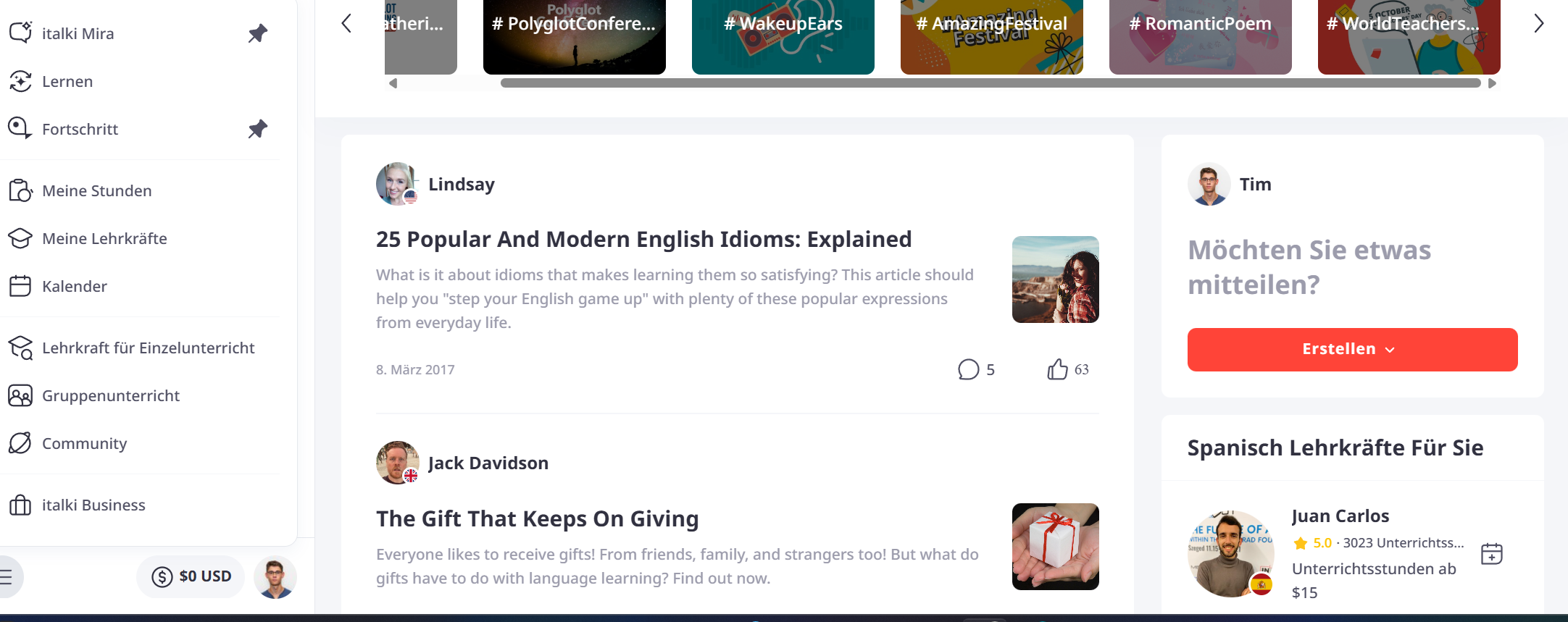
italki also offers a Community section, which is somewhat hidden under the hamburger menu at the bottom left. In this section you can ask questions, exchange ideas with others, or ask for corrections of sentences. In the past, the community also offered the possibility to look for language partners, but nowadays that is hardly done anymore; italki probably wanted to focus more on paid lessons. Tandem or HelloTalk would be a good alternative if you are looking for language partners. Generally, there seems to be very little interaction in the community, so I would rather use another app for exchanging with other learners.
How do I book a language teacher?
When I look for a teacher, I activate the following filters:
- Native speakers
- Also speaks "German"
- Teacher types - Community or professional
- I usually filter the price up to a certain amount
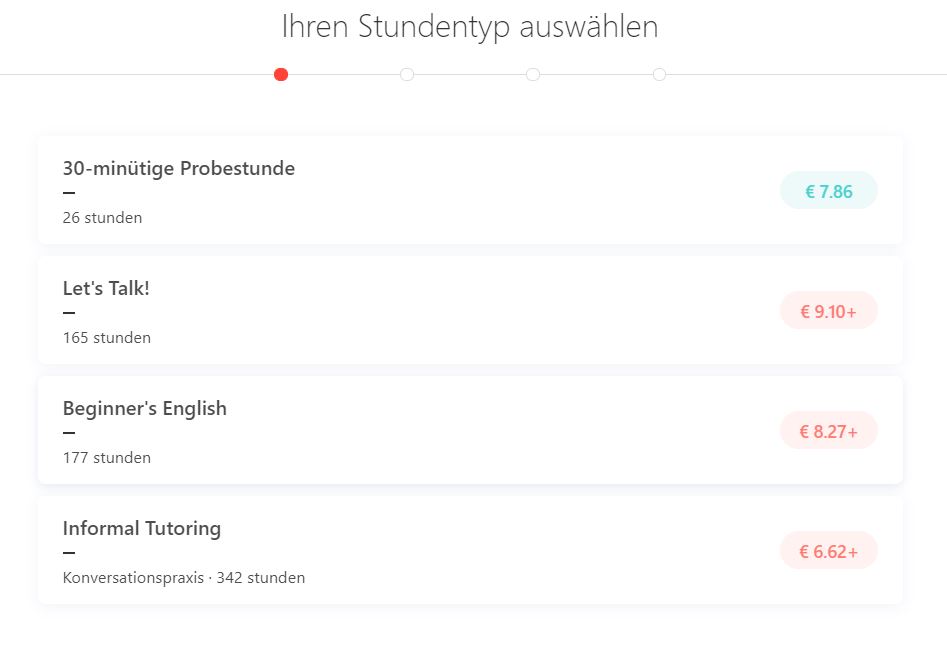
When booking for the first time, you need to create an italki account. You can set it up faster by linking your Google, Facebook, or Apple ID. After creating the account, you still need to confirm your email address and then you're ready to book the lesson. To book a lesson, click on "book" and then select a lesson type. The lesson types and prices vary depending on the language teacher.
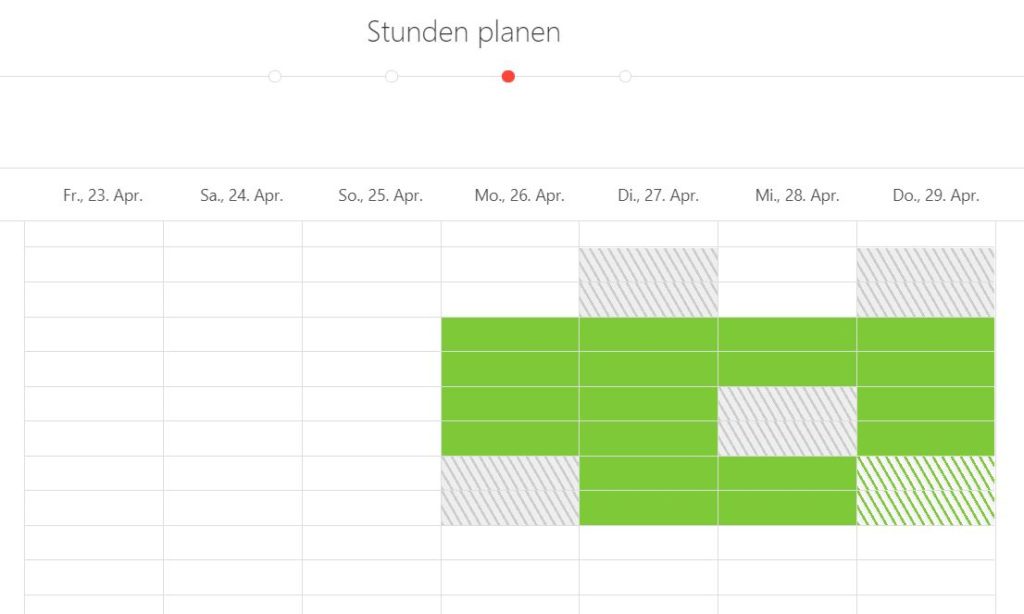
In the next step you see the teacher's calendar. There you can enter your lesson. A green bar always stands for half an hour. The teacher then has to confirm your lesson and then you're ready to go.
After the first booking, the teacher often contacts you and asks which focus areas you would like to set. However, this varies from teacher to teacher.
What happens after the lesson?
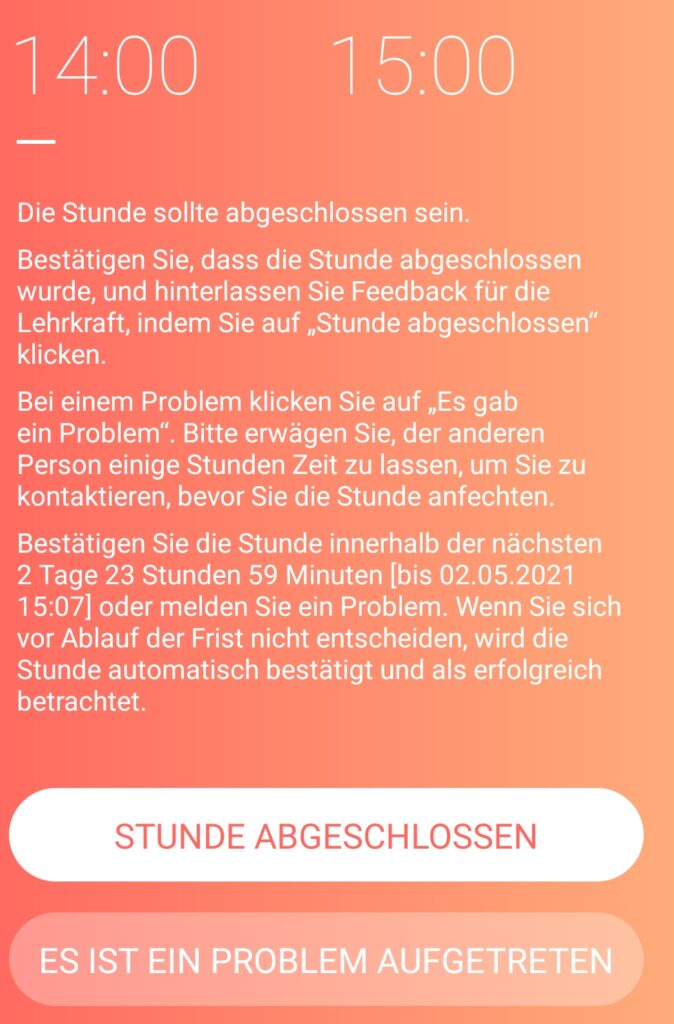
After the lesson, you still need to confirm that the lesson took place so that the instructor receives their money. If there was a problem with the lesson, you could also report it here.
If you don't confirm your lesson directly, it will be automatically confirmed within the next 3 days.
What does italki cost?
Options for lessons:
- 30-minute trial lesson - discounted lesson
- 30/45 min lesson
- 60/90 min lesson - most expensive option
- Lesson package - sometimes a bit cheaper
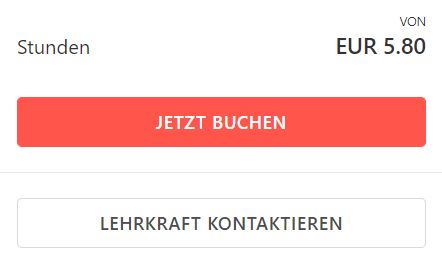
Tip: In the search, usually only the lowest prices for a 30-minute lesson are shown. To see the actual prices for an hour, you need to click on the book now field.
The prices on italki vary depending on the language teacher. What is certain is that you always pay per lesson. So you are flexible when and how often you book your lessons. Language teachers sometimes also offer slightly discounted lesson packages, i.e., several lessons that you can buy at once. The lesson packages are only valid for 6 months, but can be extended after the 6 months with the teacher's consent.
As a rough guideline based on what italki itself states: Community Tutors usually charge between $4 and $20 per hour, professional teachers with a certificate or training usually between $10 and $40 per hour. However, each teacher individually sets the actual prices themselves.
Become my friend
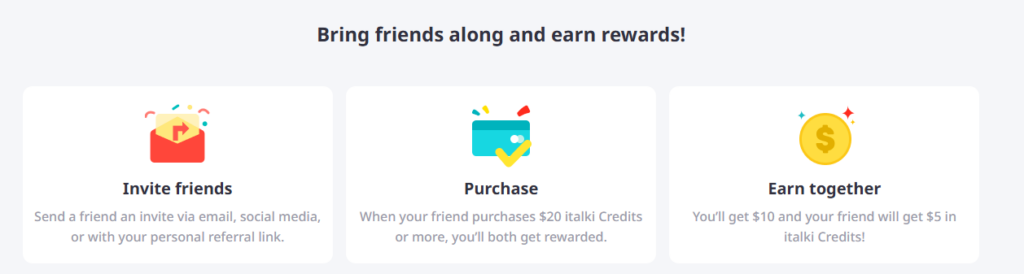
If you buy $20 worth of italki credits through this link, I get $10 in italki credits and you get $5. I don't earn any money from this, but can only sponsor my own language lessons.
What are italki trial lessons?
- italki trial lessons are discounted lessons so you can more easily find a suitable language teacher.
- For language teachers, offering these trial lessons is voluntary.
- Each new user has 3 trial lessons available.
- For each trial lesson, italki offers a money-back guarantee (redeemable up to two times) if the lesson doesn't suit you.
- The term trial lesson is a bit confusing here, since the discounted lessons are only 30 minutes long.

italki Plus: The AI Upgrade for Your Language Training
italki Plus is a paid additional package aimed at users who want to accelerate their progress with the help of artificial intelligence.
What does italki Plus offer?
The subscription unlocks features that go beyond just talking to your teacher:
- AI-powered lesson summaries: After each lesson, the AI automatically creates a log of the most important vocabulary, grammar mistakes, and corrections discussed in the chat or video. However, this is only useful if your language teacher doesn't take notes for you.
- Personalized flashcards: The AI generates digital flashcards from your mistakes and new words, which you can use to practice in the app.
- AI language trainer: You get access to an AI chatbot that you can use to practice around the clock.,
- Included language tests: With the annual subscription, up to four official italki Language Assessments (which otherwise cost approx. $30 each) are included to regularly check your level (A1–C2).
- Discounts on partner apps: As a Plus member, you also get discounted access to learning apps like Clozemaster, LingQ, or Pimsleur.
Plus Costs (as of 2026)
| Plan | Price | Information |
| Monthly subscription | $5.99 | Flexible monthly cancellation. |
| Annual subscription | $59.99 | Savings of approx. 17% (equivalent to ~$4.99/month). |
New as of 2026: italki offers new Plus subscribers a 30-day free trial before the subscription fee becomes due.
Is the upgrade worth it?
My assessment: italki Plus is helpful if you or your teacher don't take notes and you don't use another learning app. However, if you already keep your own vocabulary lists, only take occasional lessons, and also use another learning app, then you can save your money.
Important to know: italki Plus has no influence on your teachers' prices. The teachers do not receive a direct share of your subscription fee.
italki Credits and Fees
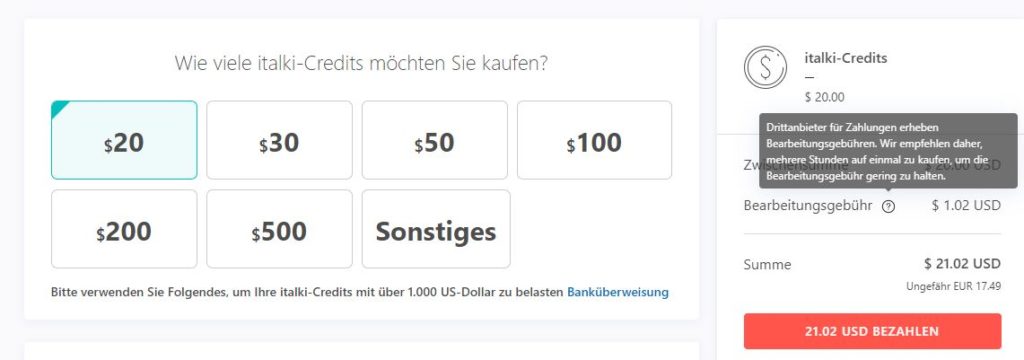
On italki you buy so-called "italki Credits," which serve as the currency on the platform. You can buy them in advance or only at the time of booking. It's important to note that processing fees apply when purchasing italki Credits. These fees vary depending on the payment method. The learning platform therefore recommends always buying large amounts of credits to keep the fees lower. However, the difference in the number of credits is usually only 1-2 euros.
- Tip: Much more important is the payment method. With Skrill eWallet and credit card, the fees are the lowest, and with bank transfer they are among the highest. I mostly use PayPal and always buy the credits at the last step of booking. That way I always buy the exact amount of credits, and the processing fees for PayPal are not the best but okay. However, if your italki account is inactive for over a year, your credits expire automatically!
What payment options are available?
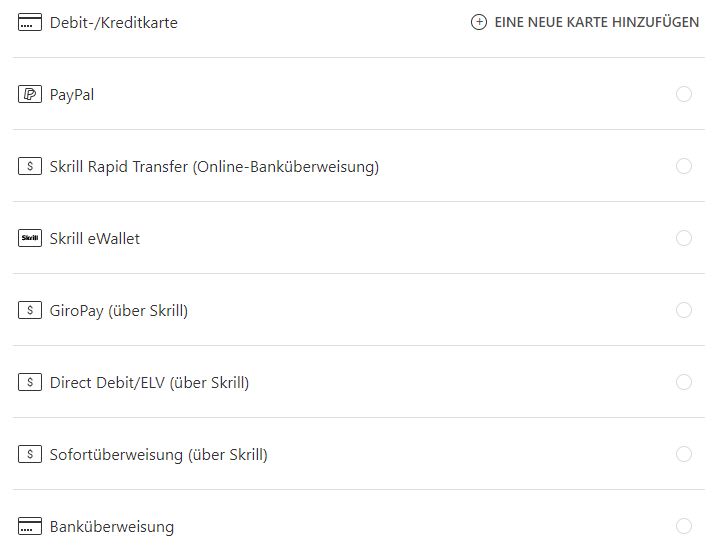
In Germany, the available payment options are:
Debit/credit card, PayPal, Skrill, GiroPay, Direct Debit/ELV, Sofortüberweisung, bank transfer.
Become a teacher on italki yourself?
If you're thinking about sharing your knowledge on italki, you first need to decide between two categories: Professional Teacher (with certificate/diploma) or Community Tutor (native-level proficiency without formal teacher training).
The application process is simple but competitive: You need a compelling introduction video and must show that you have a good video setup. Additionally, you should demonstrate in the video that you speak multiple languages. Once you are activated, you set your own prices and schedule entirely by yourself.
Teacher fees: How much do you get to keep?
italki adjusted its fee structure at the beginning of 2025. Instead of a flat rate of 15%, there is now a tiered model. The more hours a student buys in a package, the less commission a teacher pays to the platform.
| Lesson Type | Commission (italki Fee) |
|---|---|
| Trial & Instant Lesson (Trial) | 0% |
| Single Lesson (single lesson) | 21% |
| 5-Lesson Package | 19% |
| 10-Lesson Package | 17 % |
| 15-Lesson Package | 15% |
| 20-Lesson Package | 15% |
| Group Class (group class) | 30% |
So if you want to make your teacher happy, buy a package with several hours.
italki Alternatives
- Verbling
- Preply
- Lingoda
- Babbel
Alternative platforms are, for example, Verbling or Preply. Like italki, they also offer live language lessons. On Lingoda you can also find group live lessons. The well-known language app Babbel also offers conversations with an AI and live courses with language instructors on a subscription model.
FAQ italki
Overview of frequently asked questions:
- Is italki suitable for students as tutoring?
- How do I contact the language teacher?
- Do I need the italki app?
- How can I reschedule an italki lesson?
Is italki suitable for students as tutoring?
I would say italki is well suited for a student if the teacher can also speak German. It is recommended to activate the filters "From - Germany" and "Also speaks - German". Since almost anyone can teach as a community language teacher on italki, I would recommend parents with younger children to be present during the first tutoring lesson.
It is also recommended to contact the language teacher beforehand and coordinate with them.
How do I contact the language teacher?
Before you book a lesson, you can message the language teacher under "Contact teacher". After booking, you can also message the teacher at any time via the italki app or website. To do this, simply click on the pending lesson and select "Send message".
Do I need the italki app?
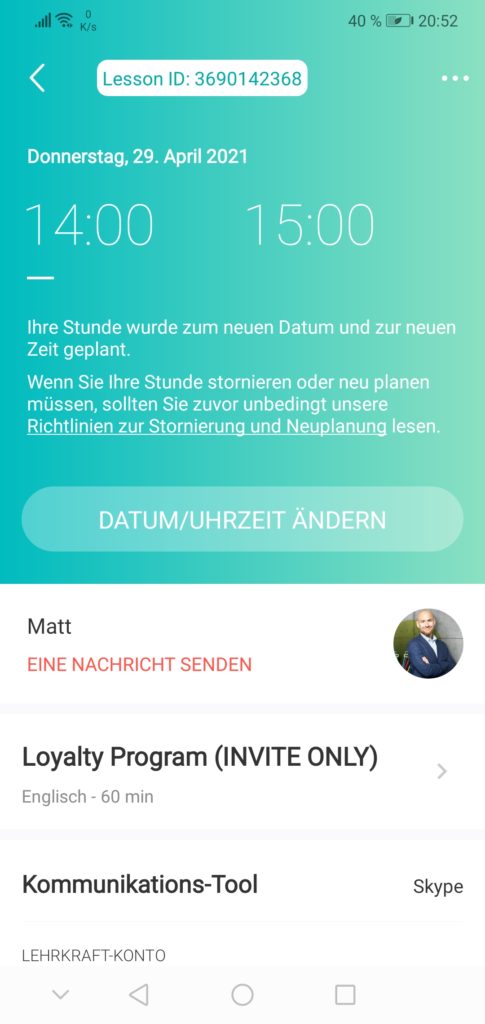
The italki app is not strictly necessary. All functions of the website are also available in the app. However, the app allows you to interact with the community or plan a lesson more quickly. The app also allows you to quickly reschedule a lesson and message the teacher. The app is also super helpful for confirming a lesson as completed.
How can I reschedule an italki lesson?
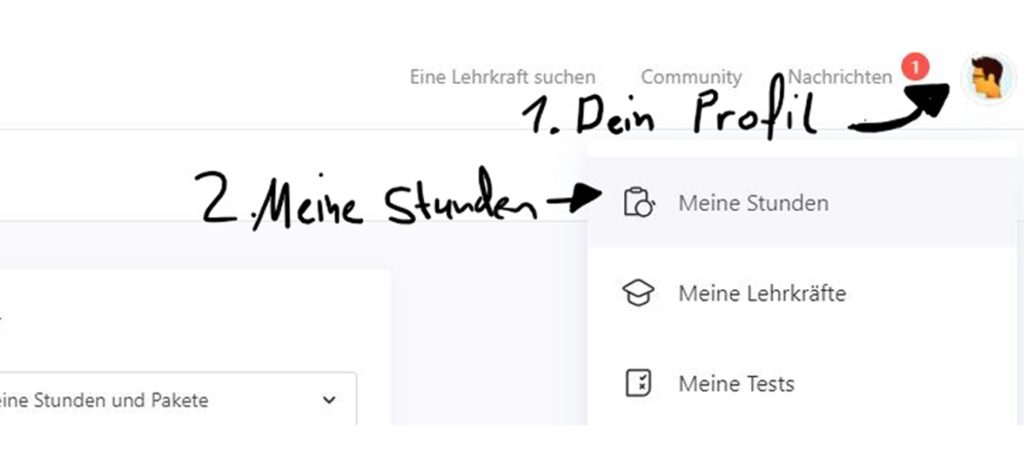
- Click on your profile at the top right.
- Select "My lessons".
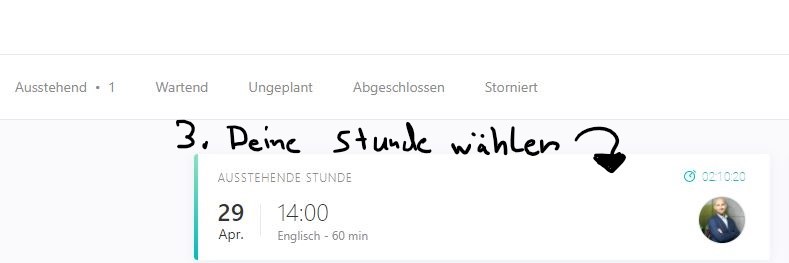
- Then click on your booked lesson in the left area.
- A new window opens, where you can adjust the lesson via "Change date/time".
- Note that lessons can only be changed and canceled up to 24 hours before the scheduled time. If you have less than 24 hours, it's best to contact your language teacher.
Are you looking for more e-learning platforms?
- Skillshare offers a low-cost subscription.
- Do you already know the app Blinkist?
- Here the top 10 e-learning platforms are compared.
Share your opinion or question about italki in the comments. Share the post with friends and colleagues, and help this small blog get more readers ; )
