
Is LinkedIn Learning worth it? My experiences
You know LinkedIn as the network where people celebrate their promotions. Far fewer people know that behind it lies one of the largest course libraries in the world. I've been using LinkedIn Learning for years and took a fresh look at the platform in August 2026. Here's what the subscription costs, how the new AI coach performs, and who it's worth it for.
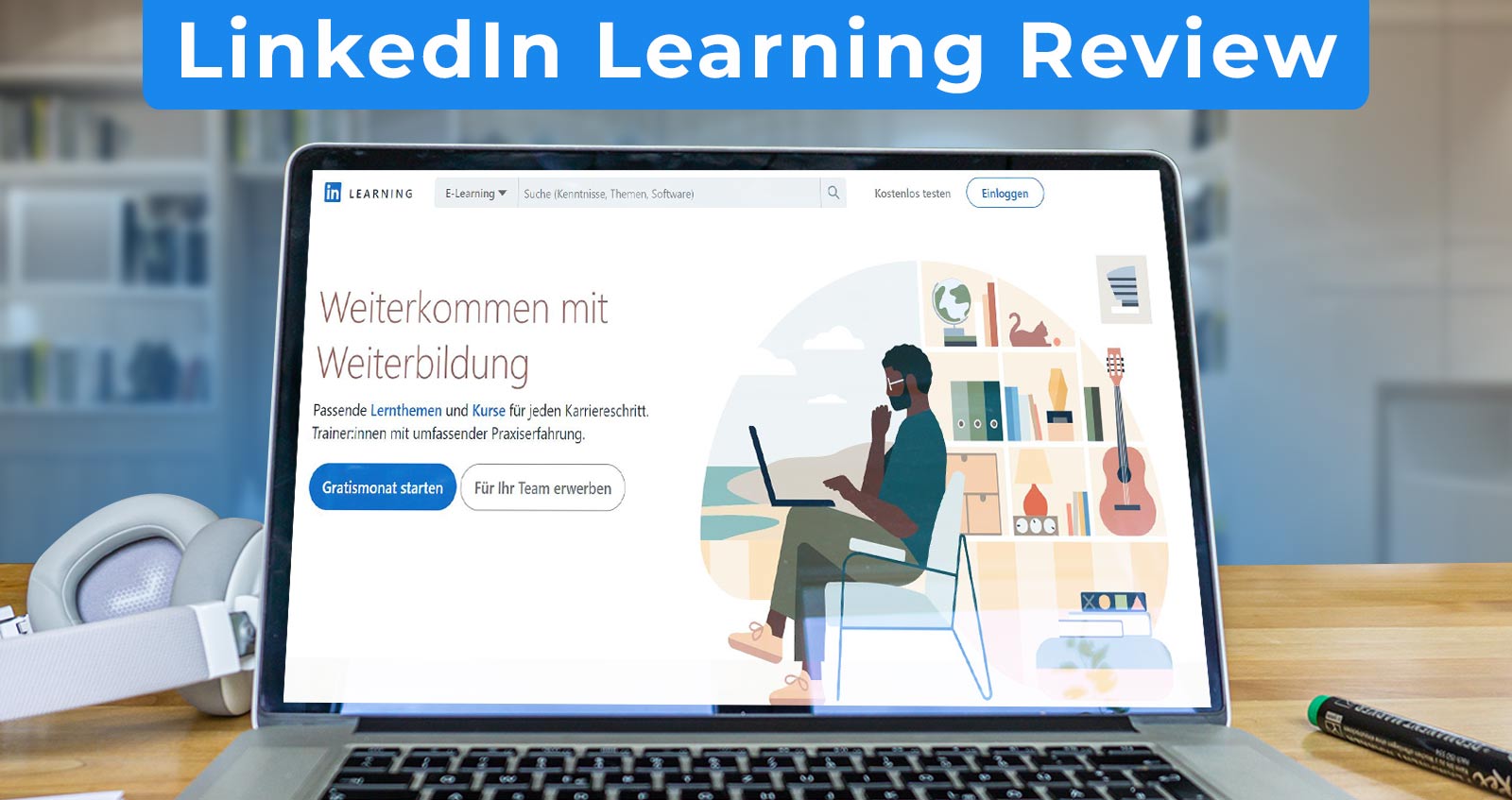
Table of Contents:
What is LinkedIn Learning?
LinkedIn is not just a social network for careers and jobs. Behind the profile is a video platform with a pretty impressive library. LinkedIn itself provides the hard numbers on the German homepage.
- Course library26.200 courses, plus over 1.300 ready-made learning paths for individual job profiles
- InstructorsMore than 3.900 experts from practice, no anonymous hobby uploads
- LanguagesLinkedIn produces course videos in 13 languages, including German. Machine-translated subtitles are available in 46 languages
- PriceFrom 14,99 € per month, but only with an annual subscription and only as part of LinkedIn Premium
How it came about
LinkedIn Learning emerged from two familiar names: "video2brain" and "Lynda". Lynda.com bought video2brain in 2013. LinkedIn then acquired Lynda.com in 2015. Since December 2016, LinkedIn itself has been part of Microsoft. The courses from both brands are now part of LinkedIn Learning; they no longer exist as separate platforms.
No time or desire to read? Watch the 6-minute video summary:
What does LinkedIn Learning cost?
Unfortunately, it's not free. In the past, you could book a pure Learning subscription without all the Premium stuff. That's no longer possible. LinkedIn now explicitly states that there are neither individual courses for purchase nor a separate Learning membership. So access is only through a Premium subscription.
| Plan | Monthly subscription | Annual subscription | What the plan is for |
|---|---|---|---|
| Premium CareerFor mostThe most affordable way to the complete course library | 29,98 €per month | 179,88 €per year, i.e. 14,99 € per month50 % cheaper | Full access to courses, plus AI coaching, InMails, and application insights |
| Premium BusinessFor freelancers and anyone actively seeking contacts | 52,49 €per month | 407,88 €per year, i.e. 33,99 € per month35 % cheaper | Same courses, plus more insights into companies and unlimited search |
| Premium All-in-OneThe new all-in-one plan, in my opinion only for heavy users | 66,99 €per month | 683,88 €per year, i.e. 56,99 € per month15 % cheaper | 30 InMails, Boost credit, Premium Dashboard. According to the help article, courses are included, but the product page does not mention them |
List prices from premium.linkedin.com, checked on 08/30/2026. LinkedIn itself states that the amounts are estimates and may exclude VAT and promotional discounts. What you end up paying, you'll only see during the checkout process.
Honestly, I find the pricing unpleasantly opaque. The numbers are on the website, but only as an estimate. My tip: go for the annual subscription. With Premium Career, that halves the monthly price, and most people don't need more than the courses anyway.
According to a help article, LinkedIn Learning is also included in Sales Navigator Core. For pure learning access, that's the most expensive detour I can imagine.
Free month, refund, and cancellation
You can usually try Premium for one month free. LinkedIn restricts this in three ways, and more strictly than many expect. Not all members are eligible for the trial period. The length may vary by region and promotion. You still need a valid credit card. If you cancel a trial period, you are not eligible for another for at least twelve months.
If you're already paying, there's a 7-day refund period from the date of invoicing. The catch is in the fine print: only if you haven't used the Premium features yet. For people in the EU, LinkedIn additionally mentions a 14-day right of withdrawal starting from the beginning of the membership. If you start with the free month, this period begins on the first day of the trial.
If you cancel yourself, a paid subscription continues until the end of the current billing period. A trial period, on the other hand, ends immediately, including the immediate loss of the courses. So cancel at least one day before the next billing date, otherwise you'll pay for another round.
What payment methods are available?
You can pay by credit or debit card (Visa, Mastercard, American Express, Discover). PayPal also works, but only on desktop. Apple Pay and Google Pay are also accepted by LinkedIn. SEPA direct debit is explicitly available for Premium Career and Premium Business, i.e. for exactly the plans with the courses.
The option "Sofort" popular in Germany is reportedly not usable for Learning memberships according to LinkedIn. Practically, that's hardly a problem because this separate membership for private individuals no longer exists anyway.
Can you get LinkedIn Learning for free through the city library?
Yes, and that's the best tip in this entire article. Many German libraries have licensed LinkedIn Learning and provide access for free. The Leipzig City Libraries do it, and the Aalen City Library does too. You only need a valid library card.
The path goes through your library's online offering, which then directs you to LinkedIn Learning. The library version is slightly smaller than the full subscription. Leipzig mentions over 16,000 video courses in seven languages, including more than 2,600 in German. You still need a LinkedIn account for the app.
Before you transfer €179.88 a year, take a quick look at your city library's website. A library card there usually costs under €20 a year.
New: AI coach and role-playing
This is the biggest change in years. Honestly, it's the reason I took a completely fresh look at the platform. LinkedIn has added two AI features, and one of them genuinely surprised me.
The AI coach: a chatbot with access to all courses
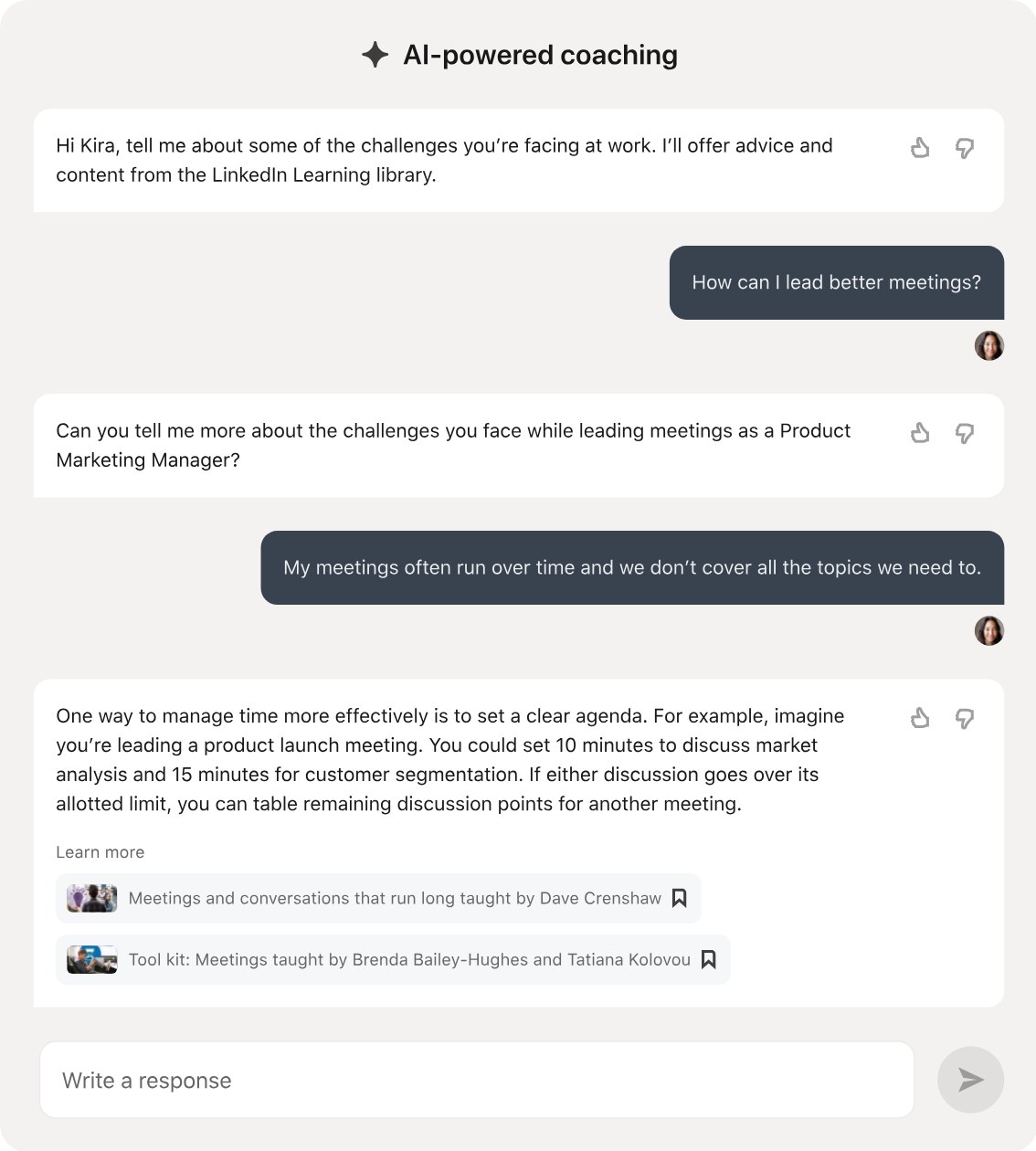
The AI coach sits right in the learning platform. You can reach it via "AI Coaching" in the left navigation, through the search, or directly from an ongoing course. It's also available in the app.
You ask a question, like how to run better meetings. The coach first asks a follow-up to narrow down your problem. Then it gives specific advice with an example, followed by relevant courses from the library. Technically, it's powered by Microsoft's Azure OpenAI service.
It knows your job and your company from your LinkedIn profile. Along with your career goal and your learning history. Two people asking the same question will therefore get different answers.
There is one catch, though. The coach speaks seven languages, including German. But you still get the truly good answers only in English. Only there does it summarize the course transcripts and give real action recommendations. And even that only for topics around leadership, career, and personal development. In German, it mostly stays at recommendations with a short description.
My tip: set the content language to English if you want real advice. The coach doesn't have a memory, by the way. If you reload the page, it starts from scratch.
Role-playing: practice difficult conversations with an AI
I find the role-playing even more exciting. You practice an uncomfortable conversation, by voice or by text. The AI plays your counterpart.
You choose a scenario, like a feedback conversation with an underperforming employee or evaluating a top performer. The setup page shows the goal and role distribution. Now comes the best part: you adjust the personality of your counterpart. Defensive, agreeable, emphatically professional — whatever you like.
Then you click "Speak" and just start talking. The system notices itself when you're done. The AI responds with a voice, the transcript runs below. If you don't want to or can't speak, you type instead.
At the end, you get an evaluation. It rates the clarity of your communication, your empathy, and whether you achieved your conversation goal. There are also wording suggestions for the next attempt and relevant courses. According to LinkedIn, the AI also models difficult behavior, like when your counterpart deflects blame.
You should know three limitations. Results are not saved; you have to copy your feedback out yourself. More than 20 sessions per day are not possible. And role-playing doesn't work on the mobile app at all, only on desktop and in the mobile browser.
German is available alongside English, French, Japanese, and Spanish. In these four languages, there are over 80 ready-made scenarios combined. Important: the language library and the spoken language have to match. Otherwise, the transcript becomes faulty and the evaluation worthless.
Regarding data protection, LinkedIn says your audio is not saved. Only a transcript is created from it. Text conversations are saved for one year.
What else has changed
The search now understands intent instead of just keywords. It automatically switches after three search terms. Machine-translated subtitles are now available in 46 languages. Italian and Polish have been added for AI dubbing. Since June 2026, the course library can be integrated into the Learning Agent of Microsoft 365 Copilot.
The app: courses offline and as a podcast
You can only download courses via the app for phone and tablet. According to LinkedIn, this still isn't possible on desktop. The app login is valid for 30 days. After that, you need to log in again, otherwise you won't be able to access your downloaded videos.
There is still a standalone LinkedIn Learning app alongside the main LinkedIn app. Users are significantly more satisfied with it than I am.
I actually find the app quite plain, and the operation is sometimes cumbersome. I prefer the apps from Udemy and Skillshare.
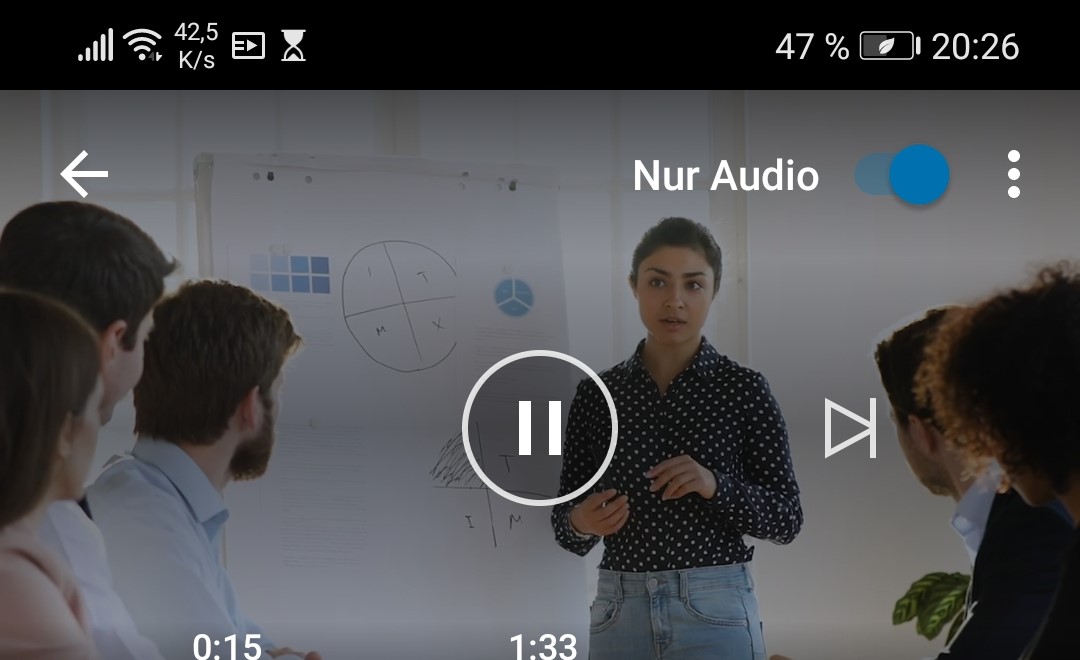
What I really like, however, is the audio mode. This lets you listen to a course like a podcast, completely without video. It's great on the way to work. But this feature is only available in the app; you won't find it in the browser.
What users say in the App Store and Play Store
My opinion is just one of many. That's why I checked how the LinkedIn Learning app performs in both stores.
Ratings from the German App Store and German Google Play Store, retrieved on August 31, 2026.
LinkedIn Learning is the only platform here where Google Play scores better than the App Store. Both values are high, and the Android rating is based on almost 200,000 votes. Users apparently don't share my criticism of the plain operation.
How good are the courses in German?
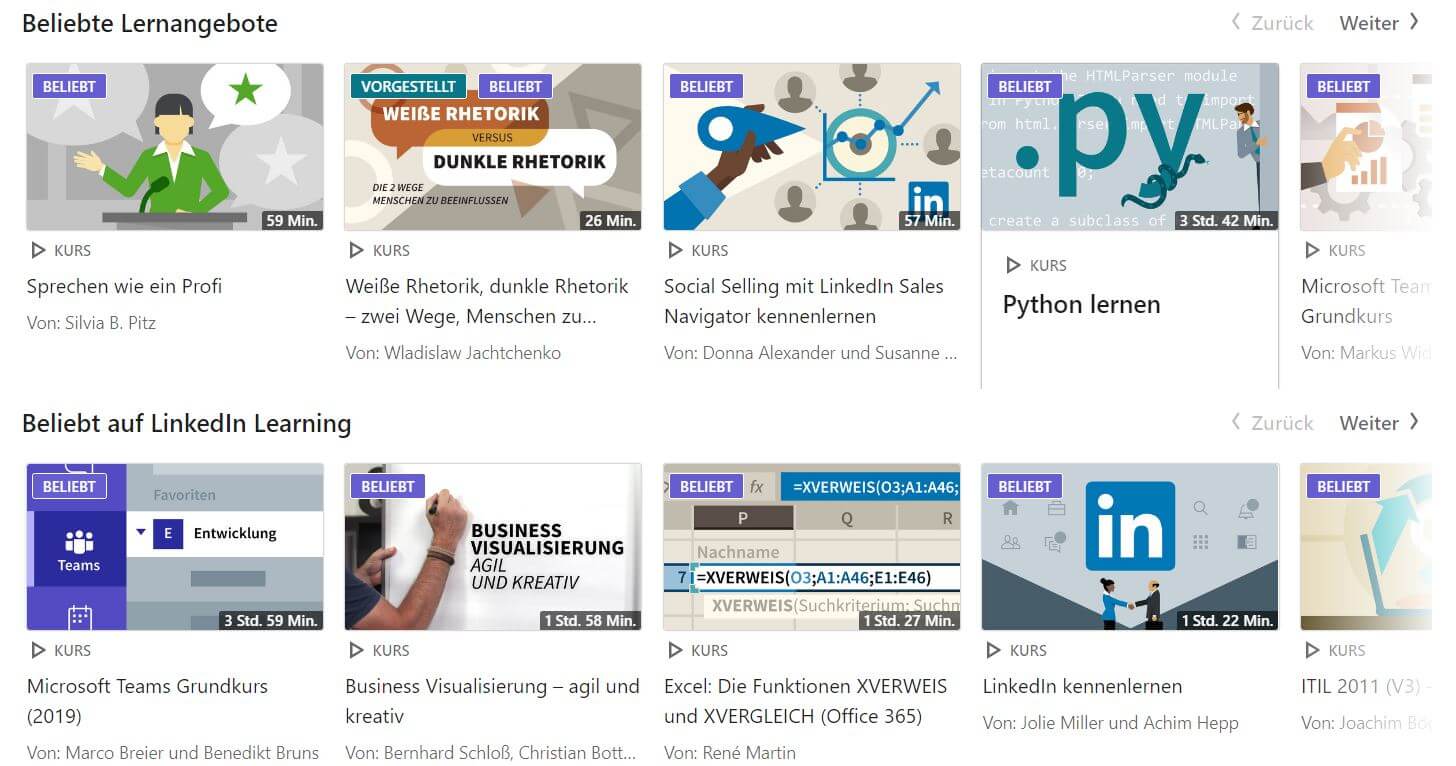
The offering is divided into three main areas: Business, Technology, and Creativity. Underneath are countless subcategories. If you're looking for a specific topic, it's better to just type it into the search.
German is one of the 13 languages in which LinkedIn produces its course videos. LinkedIn does not provide an official number for the German-language offering, neither on the website nor in the help section. I searched for a long time. The numbers circulating are almost all derived from each other, including my earlier figure of 2,500 courses. That's why it's no longer listed here.
Important to know: The course library differs depending on the set content language. LinkedIn itself says that not all courses are available in all languages. So you'll find different content in English than in German. LinkedIn nowhere claims that there is simply more content in English.
The courses are produced by professional instructors, as well as entrepreneurs and professors. You can tell from the quality. On an open marketplace like Udemy, the range is much wider.
My experiences after several years
What I like
Almost every topic that really comes up in everyday work life is covered. From agile project management to Python to time management, I always find something.
The integration with the network is particularly strong. You can see the instructor's LinkedIn profile directly and assess whether they really master their subject. No other platform can do that.
The courses are cleanly produced. The audio, video, and structure are right because professional instructors are behind them, not the randomness of an open marketplace.
What bothers me
Many courses stay on the surface. That's exactly right for beginners, but if you already know something, you get bored quickly.
The catalog isn't consistently up-to-date. Courses from 2010 appear among the suggestions. So always check the publication date before you invest two hours.
And the coupling to Premium is annoying. I pay for features I never touch, just to get access to the courses.
What certificates are available with LinkedIn Learning?
Once you've completed a course, you can add it to your profile. Colleagues and recruiters can then see your skills directly. I find that useful, but I would use it with caution. Only link courses you really understood.
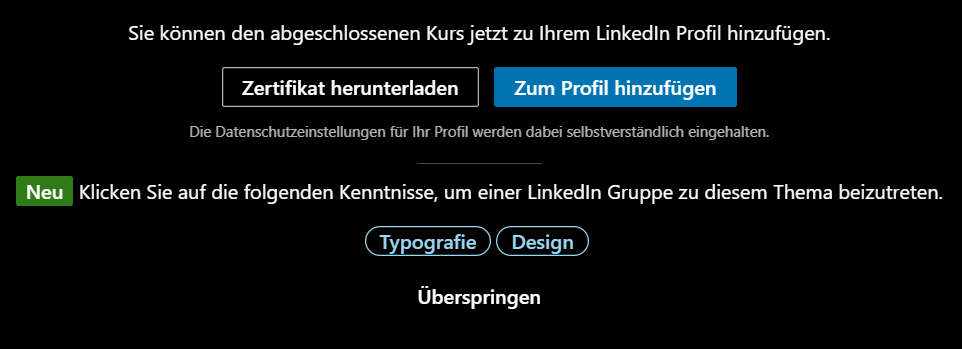
On your profile, the certificate ends up under "Licenses & Certifications". If you want it to stand out more, you download it and display it under "Featured". This is what it looks like:

Are the certificates worth anything?
A completion certificate from LinkedIn Learning does not replace a university degree or an official exam. But it's no longer as blanket a statement as I used to write.
LinkedIn is now an official NASBA sponsor and awards CPE credits for continuing education records. LinkedIn is an authorized partner for CompTIA, and the courses count for CEUs for A+, Network+, and Cloud+. For ISC2-certified professionals in IT security, there are over 189 applicable courses as of this year. There's a catch here too: LinkedIn does not report the points itself; you submit them independently.
In addition, there are the Professional Certificates that LinkedIn offers together with partners. You go through a learning path and take an exam on the platform at the end. The result then goes into your profile. From a handful of partners, there are now around 55, including Microsoft, Adobe, GitHub, Oracle, Google Cloud, ServiceNow, and JetBrains. These certificates are included in the subscription at no extra cost.
For external exams, LinkedIn offers over 2,000 preparation courses, matching more than 120 qualifications. You still take the exam itself with the respective provider.
LinkedIn Learning login and registration
The registration is a bit cumbersome. Without a LinkedIn account, you can't access the courses. Creating an account is free, but the courses are not. You have to add Premium separately.
How do I get from my profile to the courses?
The path has changed; the old Learning icon no longer exists:
- Log in to LinkedIn.
- Click on the App Launcher at the top right, i.e., the nine dots in a square. For company accounts, this item is called Apps.
- Select Learning from the menu.
In some views, "Learning" is also directly at the top right of the homepage, right next to "Apps".
Changing the language
You change the language of the public Learning website at the bottom in the footer, not at the top right anymore. Once you are logged in, you set the content language via the language button on the search results page. In the app, you'll find this under "My Courses" and then in the settings.
Caution: This only changes the course library, not the interface language. And it's really worth it. In English, you'll find courses that don't exist in German.
How do I cancel?
On the desktop, click your profile picture at the top right, then on Premium features and then on Manage membership. On the left sidebar you'll find Purchases. There you select your subscription and confirm the cancellation.
A special case that surprises many: If you booked through the Google Play Store, the cancellation also goes through there. If you made a purchase via iOS, you have to switch to the desktop version.
Conclusion: is LinkedIn Learning worth it?
LinkedIn Learning Review:
Summary:
The library is huge and the courses are professionally produced. But many of them stay too superficial for me, and among the suggestions there are real duds. I find the integration with the network and the new AI features, especially the role plays, great. Nevertheless, it gets expensive because you have to buy the whole premium package. For regular learners it's worth it, for occasional users rarely. Be sure to check with your local library beforehand.
- Courses and topic diversity:
- Course languages:
- Quality of content:
- Value for money
Overall
Pros
- Professional instructors
- All courses are included in the premium subscription
- AI coach and role plays at no extra cost
- Free through many city libraries
Cons
- Only in the premium subscription, no individual purchase
- Partially outdated courses
- The best AI responses only in English
*Rating is based on my own opinion. Excluded is the field "User reviews", where you can rate the platform.
Many long-time LinkedIn users still don't know about the learning function of their network. But it's definitely worth a look. My honest recommendation: Take the free month, really work with it for a week, and then decide. And check beforehand whether your city library gives you access for free.
Are you looking for an alternative to LinkedIn Learning?
- Coursera offers online courses from well-known universities and companies.
- Do you already know the Blinkist app?
- The Zeit Akademie offers courses with renowned instructors.
- Here the Top 10 E-Learning platforms are compared.
- Domestika offers creative courses without a mandatory subscription.
Share your opinion or question about LinkedIn Learning in the comments. Share the post with friends and colleagues, and help this small blog get more readers.
 Post written by Tim Geier - about the author.
LinkedIn Learning Reviews & Ratings
There are no reviews yet. Be the first to write one.

Ich habe mit LinkedIn Learning sehr schlechte Erfahrungen gemacht. Ich war jahrelang Benutzer der Vorgängerplattform video2brain und wollte dann auf LinkedIn Learning wechseln. Leider ist mir dies bisher nicht gelungen, weil immer neue technische Hürden aufgebaut wurden. Das fing mit der recht aufwendigen Anmeldung bei LinkedIn selbst an, doch nachdem dies geschafft war, kam die Anmeldung noch immer nicht zu Stande, weil die verwendeten Zahlsysteme nicht funktionierten. Leider ist die Auswahl auch sehr begrent, so gibt es beispielsweise keine Möglichkeit einer Überweisung und auch mit paypal funktioniert die Zahlung nicht, wie auf anderen Webseiten, sondern es sind spezielle Sicherheitsschranken vorhanden, die man als normaler Internetuser nicht ohne weiteres verwenden kann. Eigentlich Schade, dass ich dieses Portal nicht nutzen kann. Der Support bei LinkedIn Learning funktioniert im Übrigen leider auch nicht.
Hallo Robert,
danke für dein Kommentar. Es stimmt tatsächlich, dass die Anmeldung zu LinkedIn Learning umständlich ist, wenn man noch kein LinkedIn Account hat. Das mit den Zahlsystemen stimmt meines Wissens nicht ganz, die Mitgliedschaft kann per Paypal, Klarna oder Kredit oder Debitkarte bezahlt werden. Ich füge noch einen Screenshot in den Artikel ein. Du kannst viele LinkedIn Learning Kurse auch einzeln kaufen benötigst dafür aber auch wieder ein LinkedIn Konto. Eine andere Möglichkeit an Online-Kurse zu kommen sind andere Anbieter, hast du schon Erfahrungen mit Udemy oder der Zeit Akademie gemacht ? Den Support habe ich tatsächlich noch nie gebraucht, kann dazu also auch nichts sagen.
Schönes Wochenende
Tim
Es ist nicht nur so, daß man sich zu einem LinkedIN account anmelden muß, was schon an sich eine erhebliche Hürde darstellt, sondern daß man künftig garantiert mit unerwünschter Werbung zugeschüttet wird. Und sei es "nur" Eigenwerbung.
"Ich bin mit meinem Job zufrieden und will wirklich keinen neuen. Ehrlich!" anzukreuzen nützt nichts.
Ich habe es in den zwei Jahren nicht geschafft, LinkedIN komplett "still"zulegen. Dauernd bekomme ich unwichtige Infos von "Business Leaders" - würg- die mich aber auch so garnicht interessieren.
Die einzige Methode für Ruhe im Schiff zu sorgen ist: email-adresse trennen.
Auch ich kam von Video2brain mit seinen super Kursen in deutscher Sprache. Die hat Microsoft mit Geld niedergedengelt, aber keinen adäquaten Ersatz gestellt. Super App hatten die...
Ach ja, ... das hervorragende Lynda.com (nur Englisch) gab es ja auch einmal und es wurde ebenfalls von MS fast rückstandslos in LinkedIN assimiliert.